
Local SERP Checker
See exactly what ranks in any location worldwide. Check search results for any keyword across different countries, cities, devices, and languages.
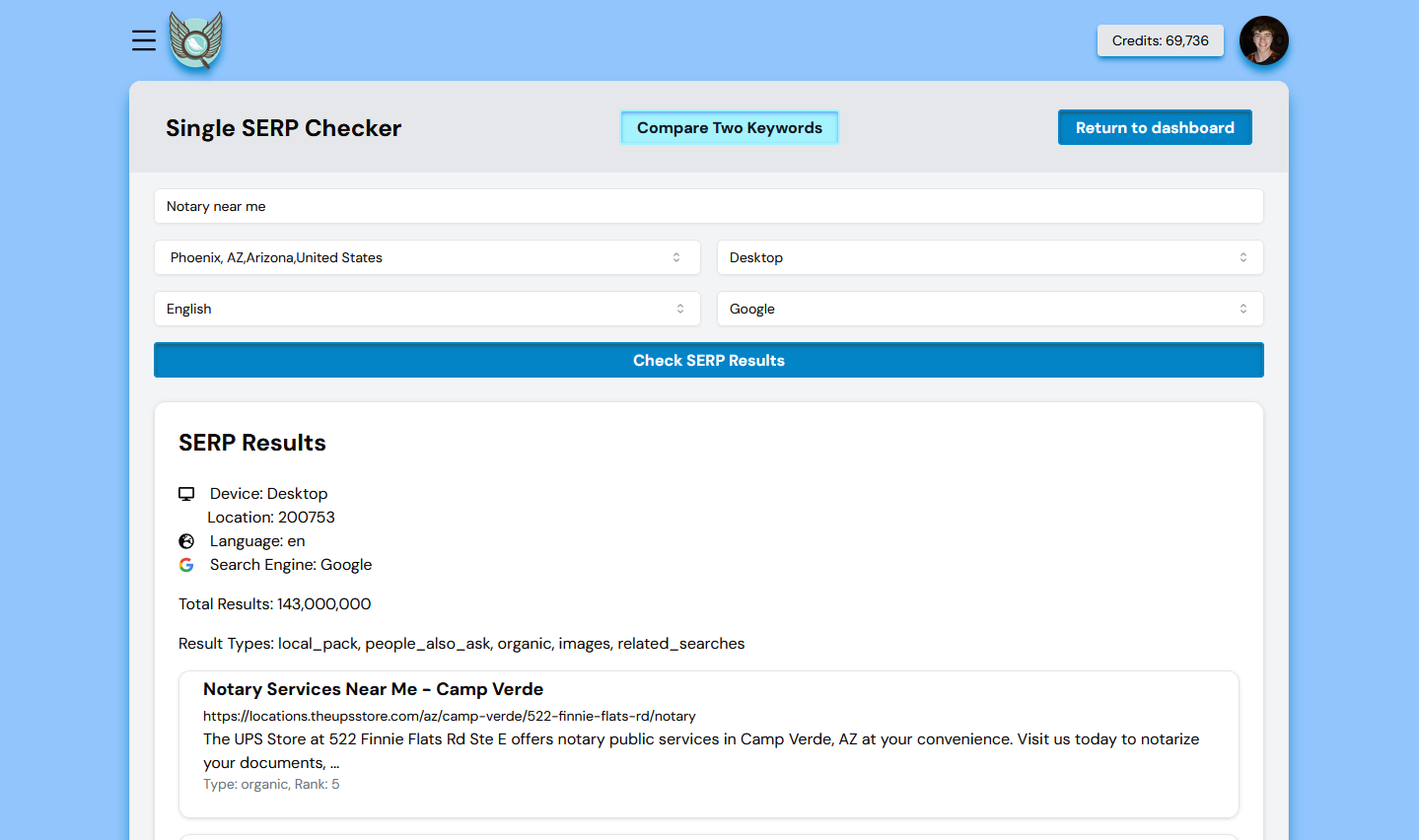
What is a Localized SERP Checker?
A Localized SERP Checker lets you see the top ranking websites for specific keywords in different geographical locations. Search results vary significantly based on location- this tool shows you exactly what users see in any market you target.
Any Location Worldwide
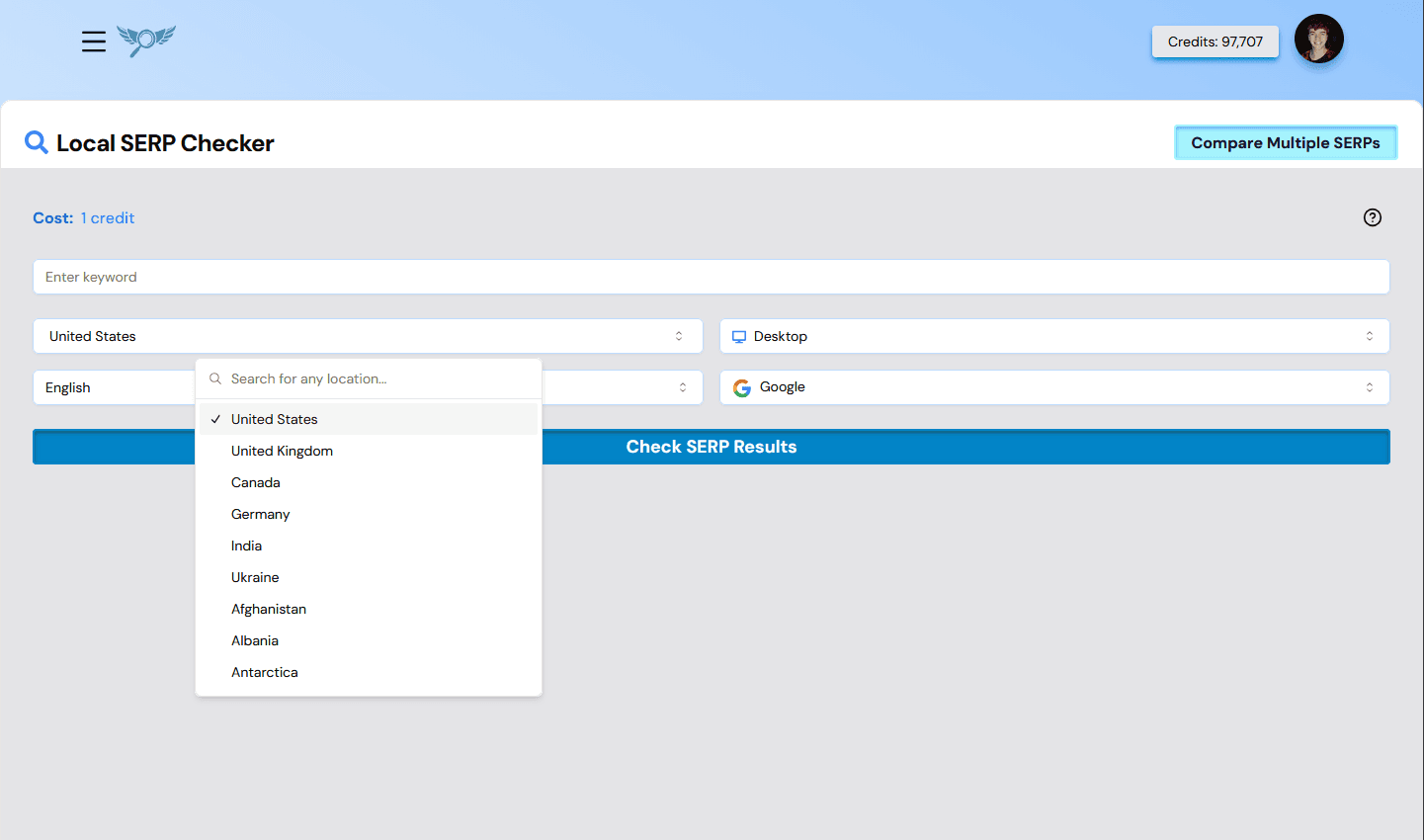
Search from any country, state, city, or even zip code. Get precise local search results for any market.
Desktop & Mobile Results
Compare rankings between desktop and mobile devices. Ensure consistent performance across all platforms.
Multiple Languages
Check search results in any language to understand how your content performs internationally.
Multiple Search Engines
Analyze rankings across Google, Bing, and other search engines to maximize your visibility.
How to Use Our SERP Checker
Getting localized search results is straightforward and intuitive:
Enter Your Keyword
Type the keyword you want to check rankings for.
Select Location
Search for and select any country, state, city, or zip code.
Choose Device & Language
Select desktop or mobile, and your preferred language.
Pick Search Engine
Choose Google, Bing, or other search engines.
Get Top 100 Results
Instantly see the complete ranking landscape for your query.
Why Use a Localized SERP Checker?
Gain competitive insights and optimize your SEO strategy with location-specific data
Understand Local Competition
See exactly who ranks well in specific regions and identify opportunities to outperform them.
Optimize for Local SEO
Tailor your content and strategy to perform better in your target locations.
Track International Performance
Monitor your rankings across different countries and languages to guide expansion.
Device-Specific Insights
Compare desktop and mobile rankings to ensure consistent cross-platform performance.
Competitor Analysis
Analyze top-ranking pages to understand competitor strategies in each market.
Content Gap Analysis
Identify keywords you're missing in specific locations to guide content creation.
Enhance Your SEO Strategy
Content Planning
Understand which content performs well in specific locations to create targeted, location-specific content that resonates with local audiences.
Local SEO Optimization
Identify areas where your local SEO needs improvement. Optimize your keyword strategy and local listings for better visibility in target markets.
Competitor Intelligence
Analyze top-ranking pages in different locations to gain insights into competitor strategies and identify opportunities to outperform them.
Content Gap Discovery
Find keywords and topics you're not ranking for in specific locations but competitors are-guide your content creation to fill these gaps.
Simple Pay-As-You-Go Pricing
No subscription required, no hidden fees. Only pay for what you use. Get started for free and only pay for the data you need.
SERP Checker FAQ
Common questions about checking localized search results.
What is a SERP checker?
A SERP checker shows you the actual search engine results page for a keyword: the list of pages that currently rank for it. Optiwing's SERP checker returns the top 100 organic results for any keyword, so you can see exactly who you are competing against.
Can I check rankings for a specific location?
Yes. You can run a SERP check for any country, state, city, or zip code. Search results vary significantly by location, so localized results show you what real users see in the markets you target.
Does it support mobile and desktop results?
Yes. You can check desktop or mobile SERPs separately, since Google often ranks pages differently across devices.
How many results does the SERP checker return?
Optiwing returns the full top 100 organic results for each query, giving you the complete ranking landscape rather than just the first page.
How much does the SERP checker cost?
Optiwing uses pay-as-you-go pricing with no subscription. You get 100 free credits when you sign up, with no credit card required, and only pay for the checks you run.
Related Tools
SERP Checker Chrome Extension
Check the live SERP for any highlighted text, right from a browser side panel.
SERP Similarity Tool
Compare search results for two keywords to understand search intent overlap.
Keyword Grouping Tool
Automatically cluster keywords using real-time SERP data.
Understanding SERPs
Learn everything about Search Engine Results Pages.